By OneFit AI
Weight Tracking, Progress Photos and Apple Health Sync Are Here
OneFit AI 1.3 adds the three things people asked for most after workouts and food: a weight tracker that shows the real trend instead of scale noise, private progress photos you can line up and compare, and two-way sync with Apple Health. All three live on one timeline, so a weigh-in, a photo and a workout from the same morning sit next to each other.
Here is what shipped, how each piece works, and the decisions behind it.
Trend weight, not scale weight
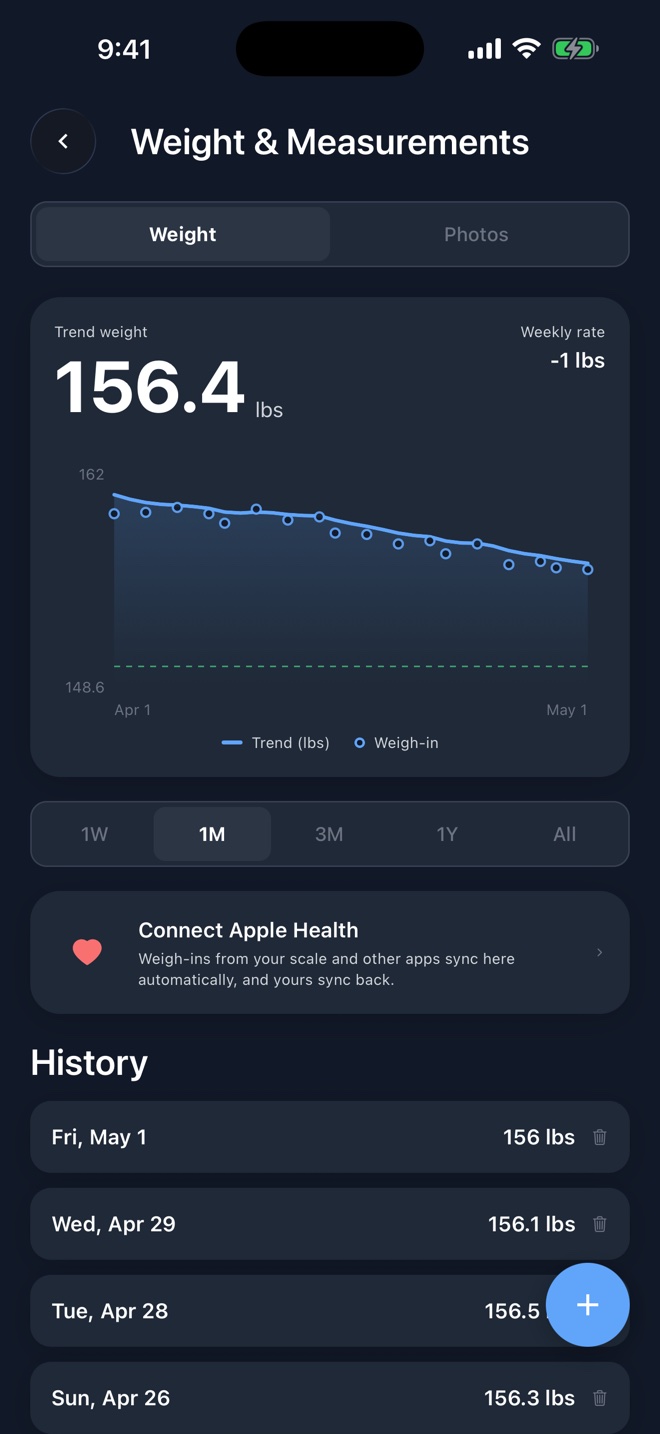
The scale lies a little every morning. Water, salt, glycogen and a big dinner move it 2 to 4 lbs day to day, and that noise is why so many people quit weighing in. Version 1.3 plots every weigh-in as a dot, then draws a smoothed trend line through them. The trend is the number to read.
Under the hood it is the same exponentially weighted average that the best weight-tracking apps use, with one fix: early points are corrected so your first few weigh-ins do not drag the line. At the default setting a single weigh-in loses half its influence in about two and a half days, which is fast enough to show a real cut moving and slow enough to flatten one salty dinner.
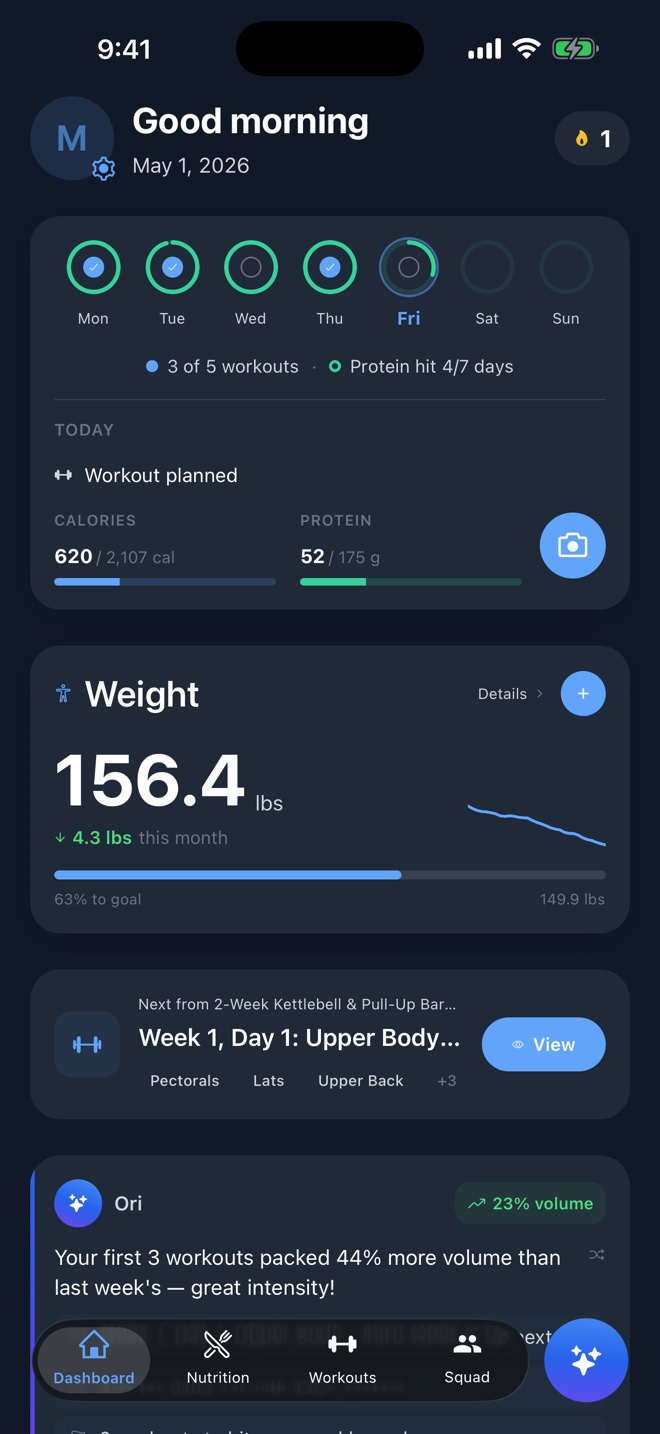
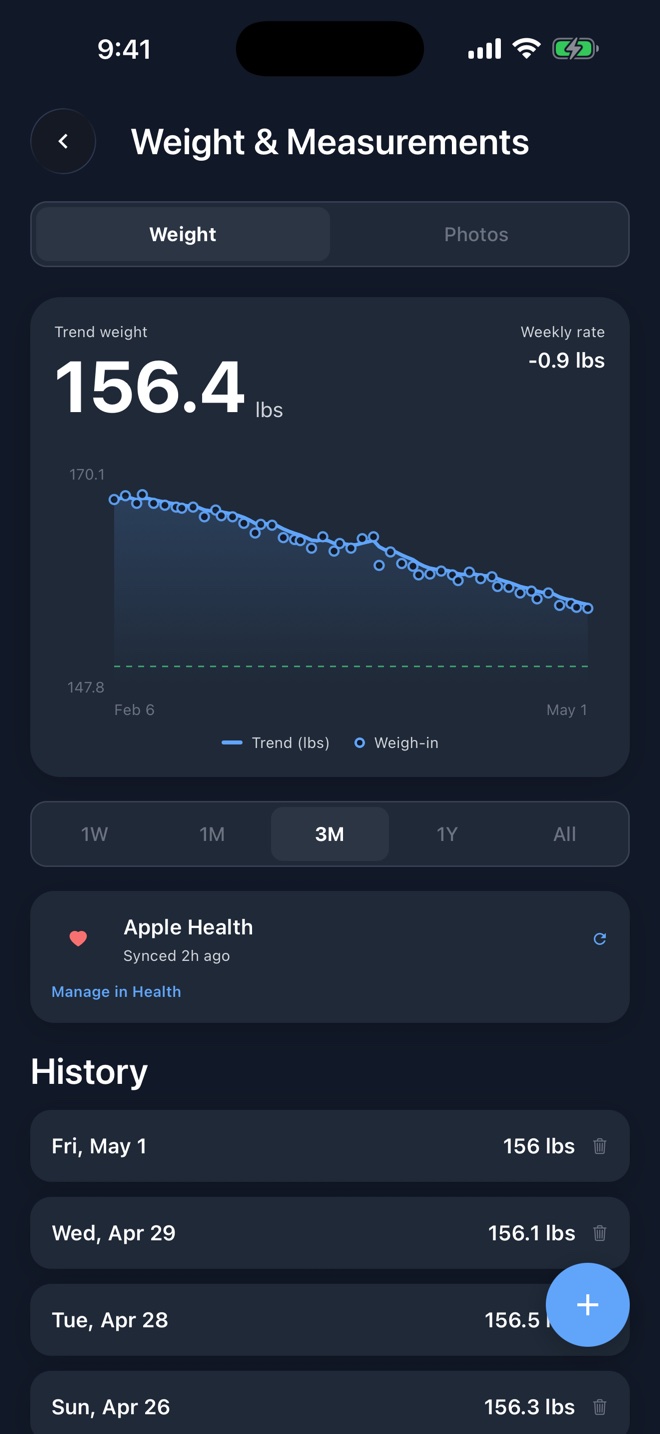
The Weight screen shows the trend, your weekly rate and a range picker from one week to all time. The weekly rate is the one to watch on a cut or a bulk: it tells you whether your calories are doing what you think they are, without you having to eyeball the chart.
Logging takes two taps
Tap the plus on the dashboard card or the Weight screen, type the number, save. The date defaults to today and can be changed for a missed morning. If you also track tape measurements, expand the sheet and log body fat, waist, chest, hip, bicep and thigh on the same day.
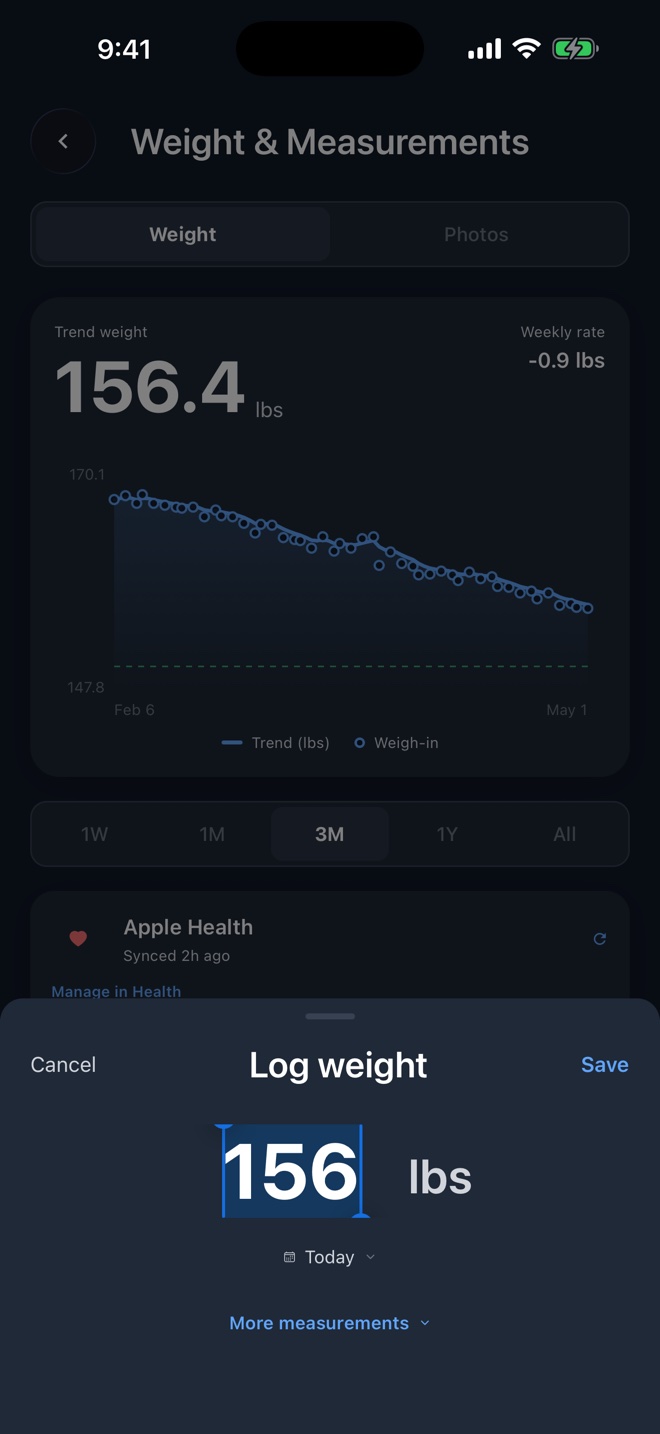
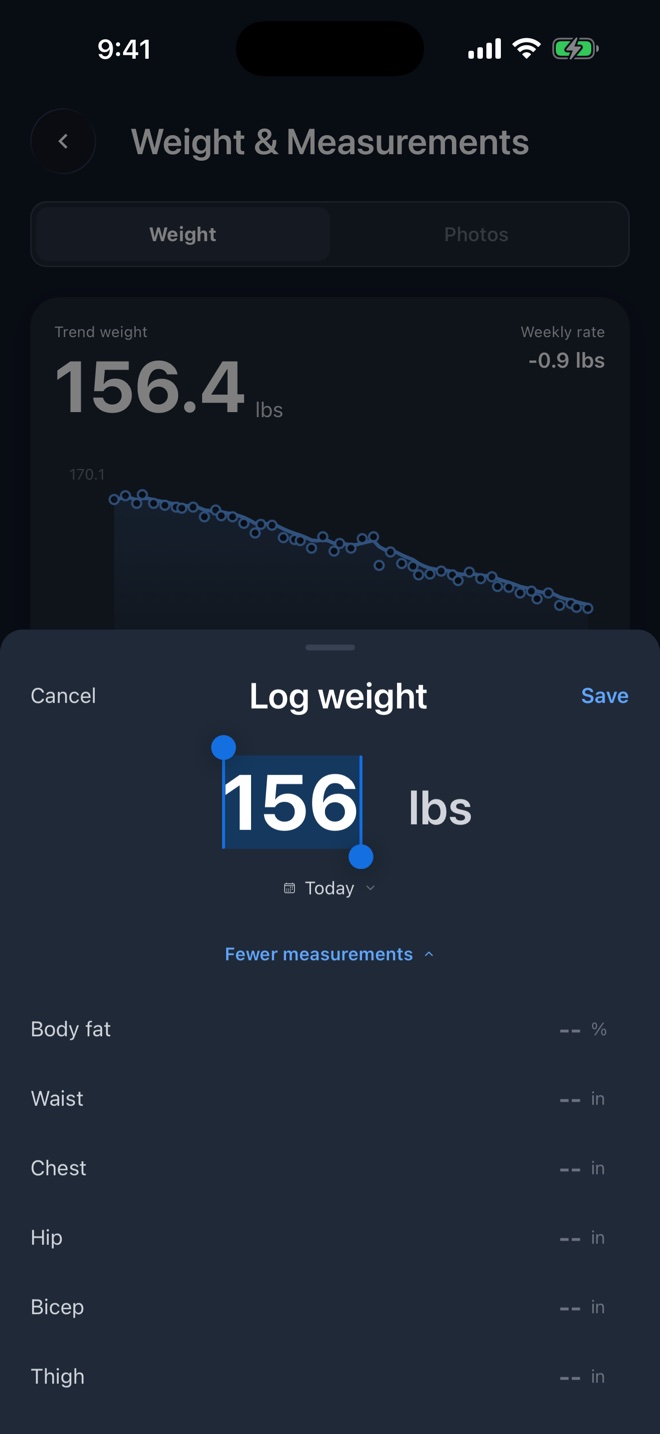
One rule keeps the data clean: one entry per day. Weighing in twice updates the day instead of stacking two points, so the trend never gets pulled by a double log.
Apple Health, in both directions
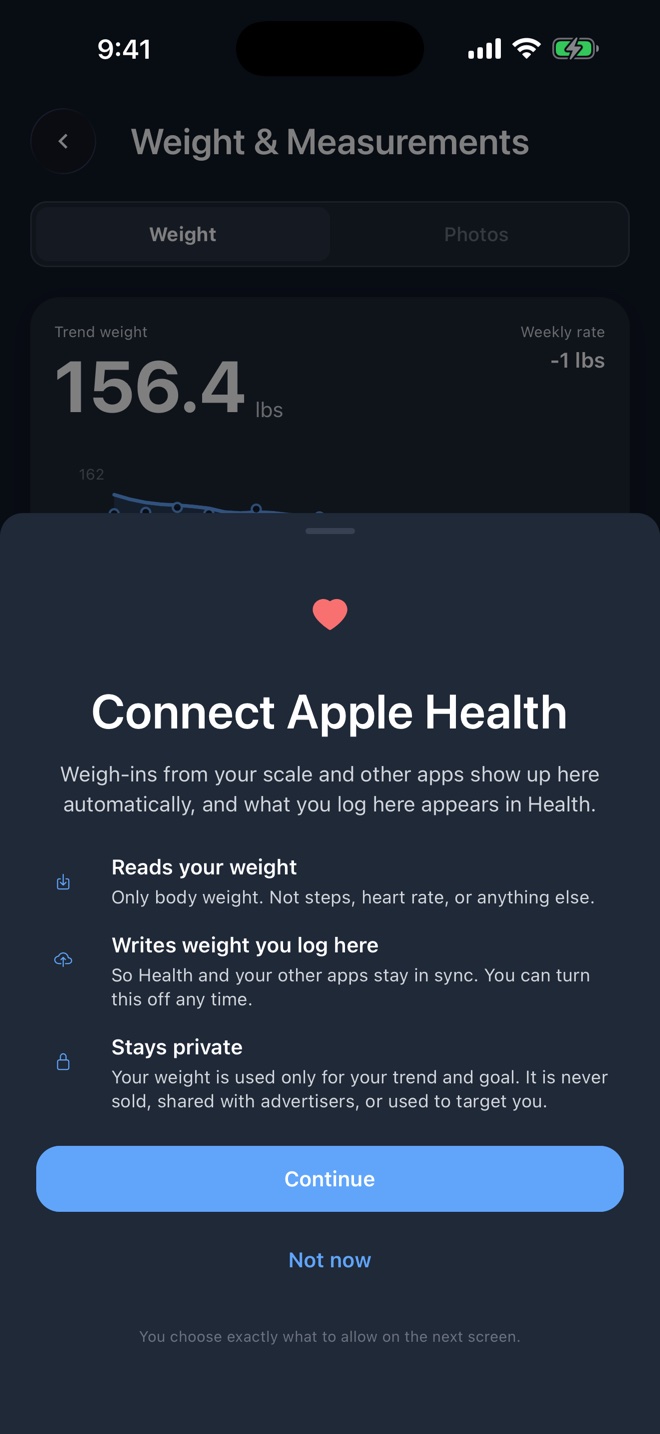
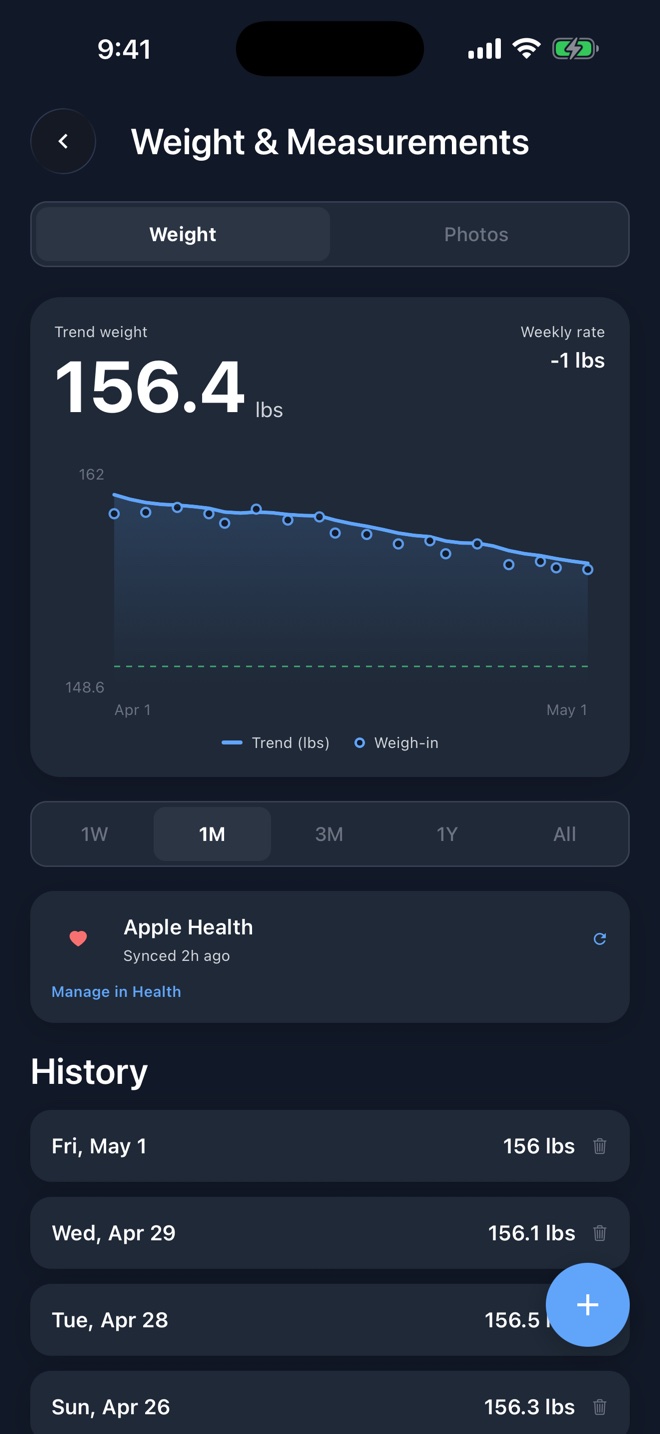
If you weigh in on a smart scale, you probably never want to type a number again. Connect Apple Health once and every weigh-in that lands in Health from a scale or another app shows up in your OneFit AI trend. It works the other way too: a weight you log in OneFit AI is written to Health, so any other app reading from Health stays in step.
A few details worth knowing:
- Weights the app wrote to Health are recognized on the way back, so a weigh-in never echoes into a duplicate.
- Deleting a weigh-in in Health removes it from your trend on the next sync.
- The first connection imports up to a year of history, so the chart is useful on day one.
- Health data is used for the weight feature only. It is never used for advertising and never sold. You can revoke access at any time in the Health app under Data Access and Devices.
Progress photos, private by design
The scale and the tape tell part of the story. Photos tell the rest, and they are the part most people are nervous about. So the rules come first:
- Photos are stored in private storage tied to your account and shown only to you.
- They are never public, never shared and never sent to AI providers. Ori can tell you when your last photo was taken and can open the compare screen, but it cannot see the images.
- Before upload the app strips the camera metadata from the file, including any GPS location. Only the date is kept.
- Delete a photo and it is gone. Delete your account and all of them go with it.
With that settled, the feature itself: three angles, front, side and back, one photo per angle per day, linked to that day's weigh-in.
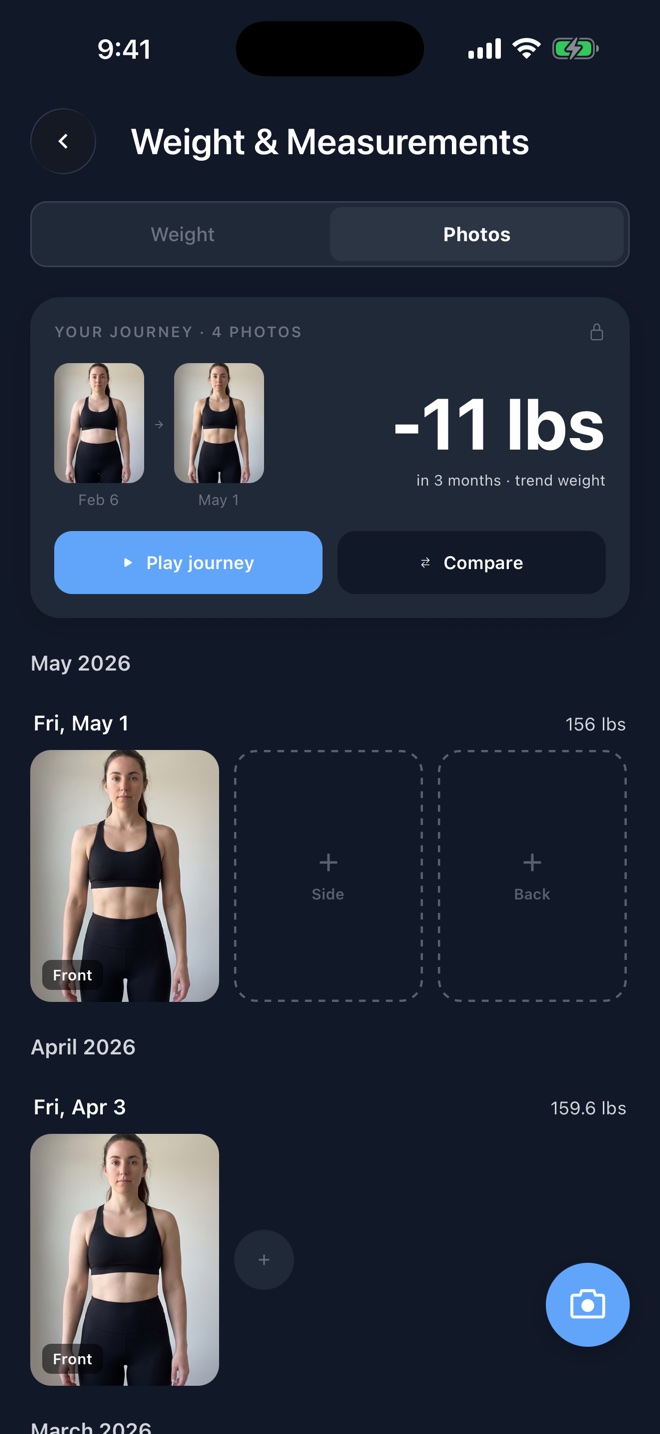
Taking the photo is where the details matter. The camera shows a faint ghost of your previous photo from the same angle, so you can match your distance, height and pose before you tap the shutter. Same framing every time is what makes a before and after honest, and it is the thing everyone forgets when they shoot freehand. If you already have old photos, import them from your library and the app keeps the original date, so the timeline is right from the start.
Compare and replay
Two views make the photos useful. Compare puts any two photos of the same angle side by side, or on a slider you drag across, and shows the trend weight change between them. The journey view plays through every photo in order with the weight chart moving underneath, so you can scrub through three months in a few seconds.
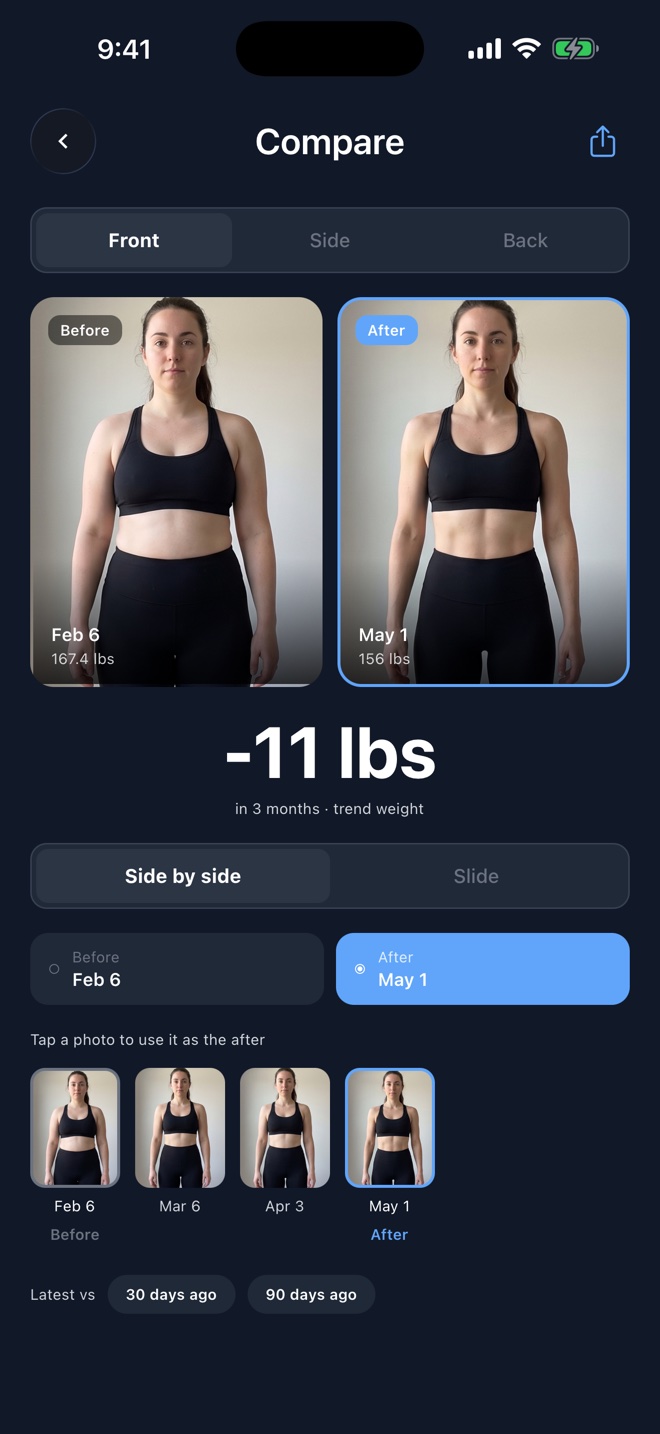
There is a share button on Compare if you want to post a before and after. Sharing is always your choice, one photo pair at a time, and nothing leaves the app otherwise.
Ori knows about all of it
Ori, the coach inside OneFit AI, reads the same timeline. Ask how your weight is trending and it answers from your trend and weekly rate, not from the last scale reading. When a photo is due it says so once, and it can open the compare or journey view for you. The coach never sees the photos themselves, only that they exist and when they were taken.
Track the trend, not the noise
Weight, tape and photos on one timeline, synced with Apple Health, coached by Ori. Free to download on the App Store.

What is next
Circumference trends get their own chart next, and progress photo reminders are coming to the weekly check-in. If there is something you want tracked that is not here, tell Ori. Feature requests sent through the coach reach us directly.
Turn this into your plan
Track your workouts and nutrition together in OneFit AI, with optional Ori AI coaching. Free to download.