By OneFit AI
Ori Now Remembers Your Equipment, Enforces Your Limits and Shows Your Numbers
Most AI coaches have the same flaw: you tell them something important, they agree, and the next plan ignores it. OneFit AI 1.3 fixes that at the root. Ori, the coach inside the app, now saves your equipment and your limits as rules, and the plan builder enforces those rules on every plan it generates. On top of that, Ori can show you your training numbers instead of describing them, manage your plan from chat, and remember what you did and said.
Here is what changed and how to use it.
Tell Ori once
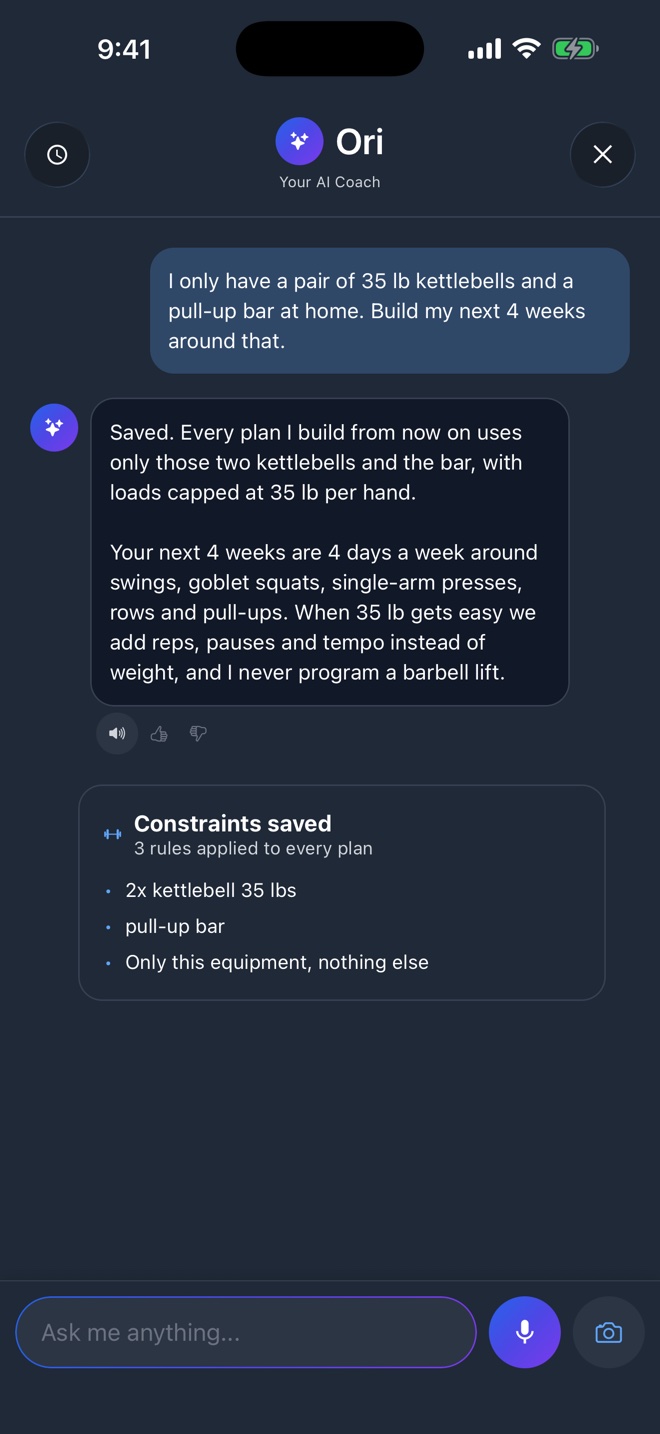
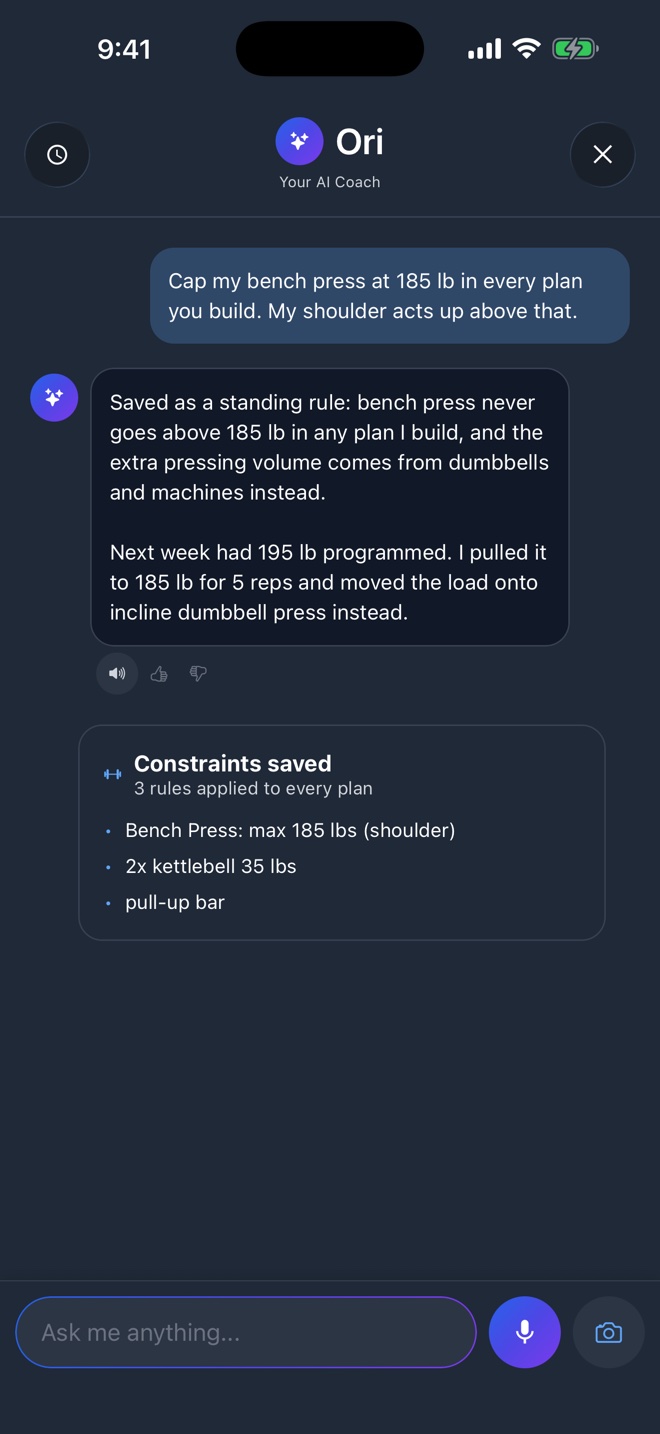
Say "I only have a pair of 35 lb kettlebells and a pull-up bar" and Ori saves three rules: the kettlebells, the bar, and that nothing else is available. From then on every plan, every regenerated week and every exercise swap runs through those rules before you see it. If a workout template calls for a barbell squat, the builder replaces it with a goblet squat or drops it, and tells you what it changed.
Three kinds of rules are supported:
- Equipment, with counts and loads. Two 35 lb kettlebells, dumbbells up to 50 lb, a home machine with no pec deck.
- Exclusions, exercises or whole equipment types Ori must never program, with a reason if you want one.
- Load caps, a ceiling on a specific lift, like bench press at 185 lb while your shoulder settles.
You can say "only this equipment, nothing else" to make the list exhaustive, or add to it later. Ask "what are my constraints" any time and Ori shows the current list. This is the change we are proudest of, because it came straight from users who told Ori the same thing six times and watched it program the same barbell lift a seventh.
Real numbers, not a pep talk
Ask "how is my training going" and Ori answers with a card, then reads it back to you with one adjustment per finding.
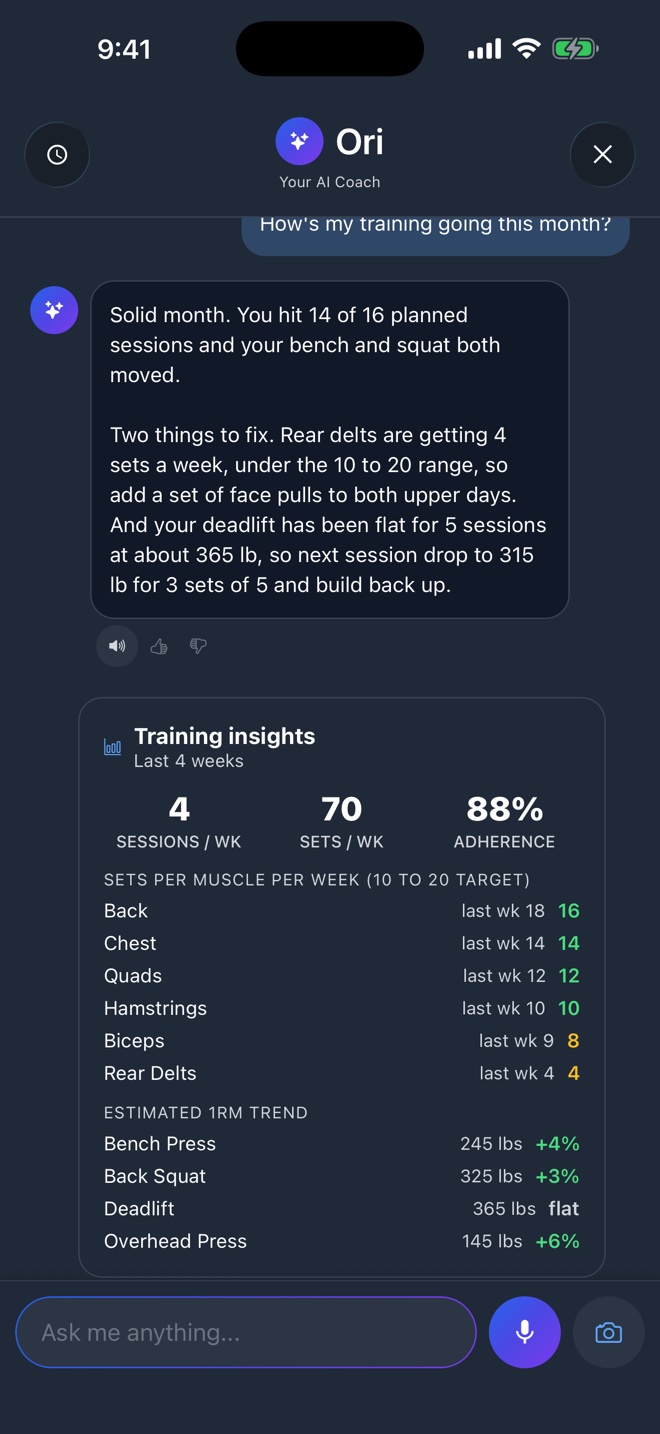
The card covers the last four weeks: sessions and sets per week, sets per muscle against the 10 to 20 hard-set range that the hypertrophy research supports, an estimated one rep max trend for your biggest lifts, and how many planned sessions you actually completed. Green is in range, amber is worth a look. In the example above the rear delts are getting 4 sets a week and the deadlift has been flat for five sessions, so Ori suggests a set of face pulls on both upper days and a short reset on the deadlift. Every number comes from sets you logged, in your unit.
Run your plan from chat
Traveling next week? Say so. Ori proposes pausing the plan, shows exactly what happens to the sessions on your calendar, and waits for you to approve. Say "resume my plan" when you are back and it picks up where you left off. Finishing a plan early works the same way.
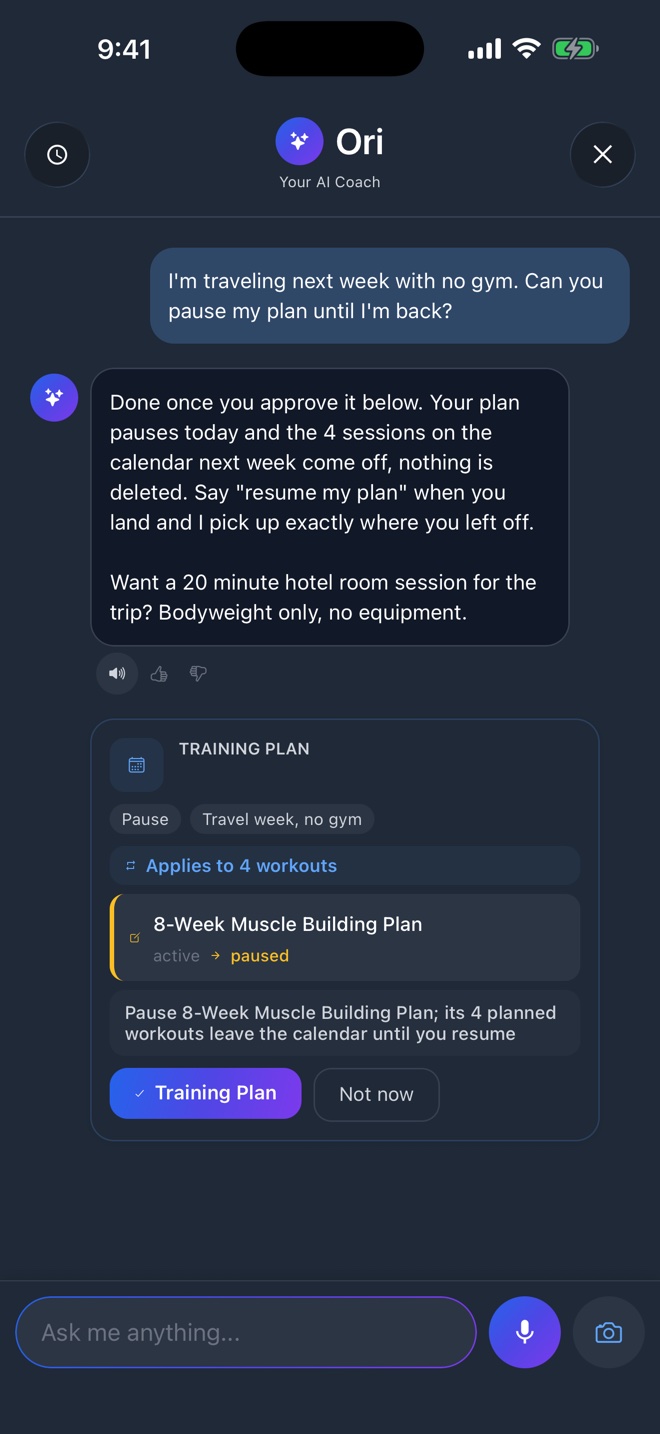
The approval card is the rule for every change Ori makes, not just plans. Swapping an exercise, rebuilding a session, setting a working weight, pausing a block: each one is a card with the before and after, and it does nothing until you say yes.
Working weights in one sentence
"Set all my kettlebell moves to 35 lb" or "make squats 225 for the rest of the block" now does exactly that, across every matching exercise in the plan, in one go. Before this update Ori could only touch today's workout. Loads are stored in kilograms and shown in your unit, so a plan built in lbs stays in lbs.
Memory of what you did and said
Two new abilities make Ori feel less like a chatbot and more like a coach who was there:
- History on demand. "What did I do last Monday?" returns the session, the sets and the best set of the day. Ask for any date, any exercise, or your best bench in the last month.
- Recall. Ori can pull up relevant earlier conversations, so advice it gave you about your shoulder three weeks ago is still part of the picture today.
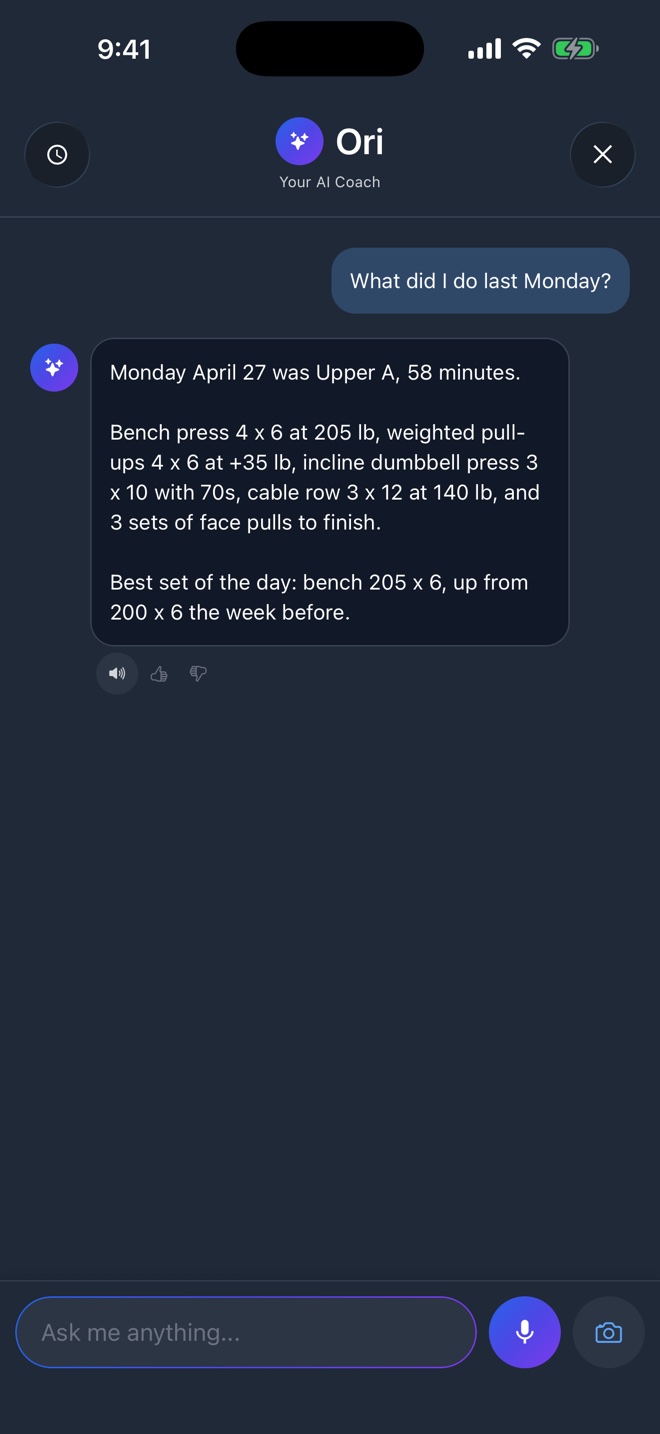
Ori also knows the app itself now. Ask how to connect Apple Health, how to undo a workout, or how to cancel a subscription and you get the real answer instead of a guess.
What Ori still will not do
- It will not see your progress photos. It knows when they were taken and can open the compare view, nothing more.
- It will not change a plan, a workout or a weight without a card you approve.
- It is not a doctor. If you tell Ori about pain, it will work around it and tell you to get it looked at.
A coach that keeps its word
Tell Ori what you have and what to avoid, once. Every plan respects it. Free to download on the App Store.

Under the hood, briefly
For the curious: constraints are a structured object on your profile, not a note in the chat. The plan builder applies them before generation and validates the result after, replacing excluded exercises through the same swap engine you use by hand and clamping loads to your caps and your inventory. Ori's new tools query your workouts, compute the insights from your logged sets, and search a small knowledge base about the app. All of it is the same data you see on screen, which is why the numbers always match.
Turn this into your plan
Track your workouts and nutrition together in OneFit AI, with optional Ori AI coaching. Free to download.